
Download Active@ Boot Disk – Free Windows Boot Utility, Data Recovery & Backup Tool
Overview of Active@ Boot Disk
Active@ Boot Disk is a lightweight, trial‑version utility from LSoft Technologies Inc. designed for Windows PCs. It transforms a CD, DVD, or USB flash drive into a fully bootable environment that carries a complete operating system along with a toolbox of diagnostic and recovery utilities. Whether you need to repair a corrupted Windows startup, recover lost files, erase a hard drive securely, or create a quick backup of critical data, Active@ Boot Disk provides a single, portable solution.
The software boots independently of the host computer’s OS, which means you can troubleshoot a system that won’t start, access encrypted partitions, or run disk‑cloning operations without installing any additional programs. The interface is straightforward, offering a boot manager that lets you select the desired tool or launch the embedded OS. Because it runs from removable media, the tool is ideal for IT professionals, technicians, and power users who require a reliable “rescue” kit that can be carried in a pocket and deployed instantly on any Windows machine.
Key Features of Active@ Boot Disk
- Bootable Media Creation: Convert CD, DVD, or USB flash drives into self‑contained bootable disks.
- Embedded Operating System: Includes a lightweight Windows‑based OS that runs directly from the media.
- Startup Repair Tools: Fix broken boot sectors, MBR issues, and corrupted system files.
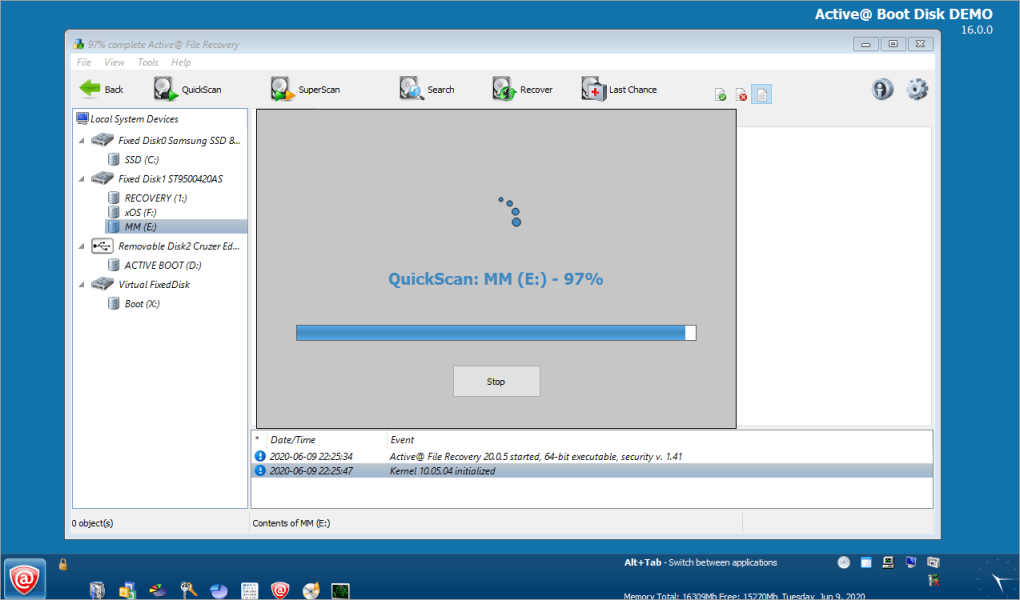
- Data Recovery Suite: Recover accidentally deleted files, lost partitions, and damaged volumes.
- Secure Erase Functionality: Permanently wipe hard drives with industry‑standard algorithms.
- Backup & Clone Utilities: Create full disk images or clone drives for quick restoration.
- Boot Manager: Simple menu to select the OS, recovery tools, or custom scripts.
- Multi‑Language Support: Interface available in several major languages for global users.
- Regular Updates: Free trial receives periodic updates to improve compatibility and add new tools.
The feature set is carefully curated to address the most common post‑mortem scenarios you encounter when a Windows PC fails to start. By bundling these utilities into a single bootable package, Active@ Boot Disk eliminates the need to download multiple third‑party rescue discs, saving time and reducing the risk of version conflicts.
Installation, Usage Instructions, and Compatibility
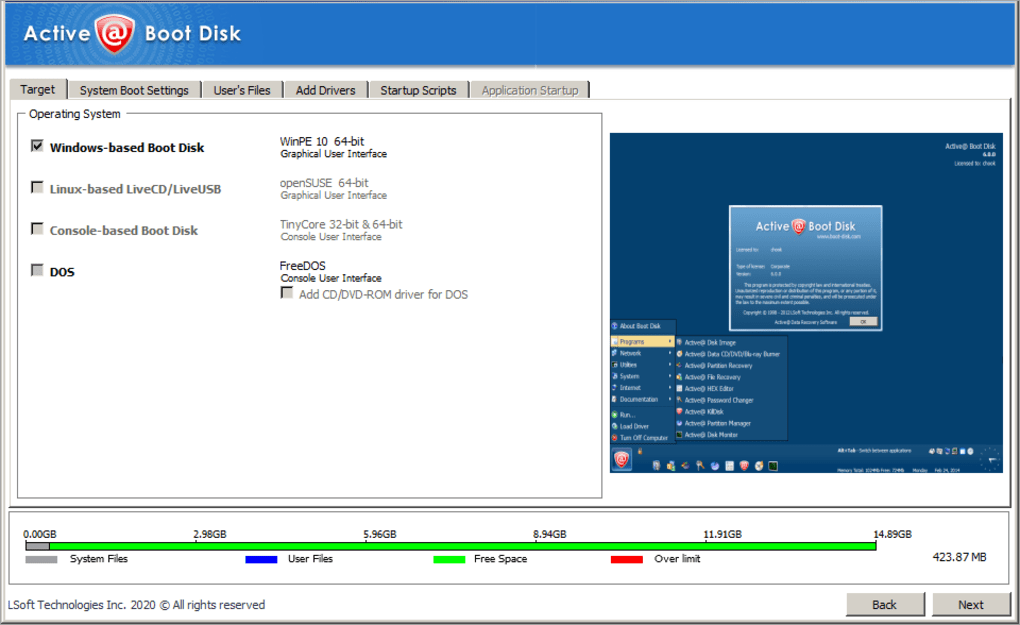
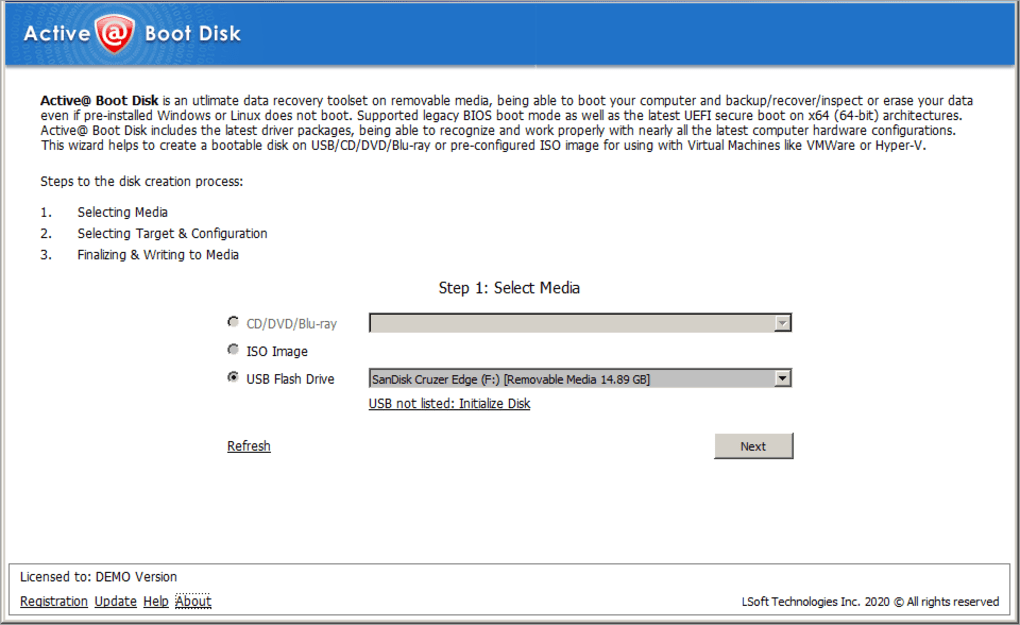
Getting Active@ Boot Disk up and running is a straightforward three‑step process. First, download the trial installer from the official LSoft website. The installer is a small .exe file (approximately 25 MB) that works on any Windows 7, 8, 8.1, or 10 system, including both 32‑bit and 64‑bit architectures. During installation, you will be prompted to select the target media—choose either a blank CD/DVD or a USB flash drive with at least 2 GB of free space.
Second, the wizard automatically extracts the embedded operating system and copies the necessary boot files to the selected media. If you are using a USB drive, the program will format it to FAT32 (or NTFS if you choose) and set the boot flag, ensuring that most BIOS and UEFI firmware can recognize it as a boot device. The process usually takes 5‑10 minutes depending on the write speed of the media.
Third, to use the boot disk, insert the media into the troubled computer, power on the machine, and access the boot menu (commonly by pressing F12, Esc, or Del during POST). Select the removable drive, and the Active@ Boot Disk environment will load. From the boot manager, you can launch the OS, run the startup repair module, or open the data recovery console.
Compatibility: Active@ Boot Disk is built for Windows environments only. It supports Windows 7 through Windows 11, and can be used on systems with UEFI Secure Boot disabled or configured for legacy boot. The tool does not run natively on macOS, Linux, Android, or iOS, but the bootable media can be used to troubleshoot Windows installations on dual‑boot machines.
Because the software runs from external media, it does not modify the host system’s registry or install persistent drivers, making it a safe choice for both personal and corporate use. Regular updates are delivered through the program’s built‑in updater, which checks for newer boot images and tool enhancements whenever you launch the disk.
Pros & Cons, Frequently Asked Questions, and Final Verdict
Pros
- Portable and easy to carry – works from any USB stick or disc.
- All‑in‑one solution: OS, repair, recovery, backup, and secure erase.
- Supports both BIOS and UEFI boot modes.
- Free trial provides full functionality for evaluation.
- Regular updates keep tools current with newer Windows releases.
Cons
- Limited to Windows platforms; no native macOS or Linux support.
- Trial version may add a small watermark on the boot screen.
- Requires a minimum of 2 GB space on the boot media.
- Secure erase feature can be slow on large HDDs.
- Advanced users may prefer a command‑line driven rescue environment.
Frequently Asked Questions
Can I use Active@ Boot Disk on a computer with Secure Boot enabled?
Yes, but you must disable Secure Boot in the UEFI settings or add the boot disk’s signature to the allowed list. Most modern PCs allow you to create a temporary “Legacy” boot entry for rescue media.
Does the trial version limit any of the recovery tools?
The trial version provides full access to all utilities. The only limitation is a non‑intrusive watermark on the startup screen, which disappears after purchasing the full license.
What file systems are supported for the bootable USB?
Active@ Boot Disk formats the USB drive to FAT32 by default for maximum compatibility, but you can choose NTFS during the setup if you need to store files larger than 4 GB.
Can I clone a Windows installation to another drive using this tool?
Yes, the built‑in cloning utility creates a sector‑by‑sector image of the source drive, which can be restored later to the same or a larger destination drive.
Is the data recovered by Active@ Boot Disk safe from overwriting?
The recovery module writes recovered files to a separate folder on the USB drive or an external hard disk, ensuring the original damaged volume remains untouched.
Conclusion & Call to Action
Active@ Boot Disk delivers a powerful, all‑in‑one rescue environment that is both easy for beginners and flexible enough for seasoned technicians. Its ability to boot from virtually any removable media, combined with a solid suite of repair, recovery, and backup tools, makes it a must‑have utility for anyone responsible for Windows system maintenance. While it is Windows‑centric and the trial adds a minor watermark, the benefits far outweigh these minor drawbacks. For fast, secure, and free troubleshooting, download Active@ Boot Disk today and keep a reliable safety net in your toolkit.
Download Active@ Boot Disk – Get Started Now






